current


Get Started
Install it (the package is called
“git-delta” in most package managers, but the executable is just delta) and add this to your
~/.gitconfig:
[core]
    pager = delta

[interactive]
    diffFilter = delta --color-only

[delta]
    navigate = true  # use n and N to move between diff sections
    dark = true      # or light = true, or omit for auto-detection

[merge]
    conflictStyle = zdiff3
Commands to write the config
git config --global core.pager delta
git config --global interactive.diffFilter 'delta --color-only'
git config --global delta.navigate true
git config --global delta.dark true  # or `delta.light true`, or omit for auto-detection
git config --global merge.conflictStyle zdiff3
Alternatively, delta can be used as a TUI based on gitugithub, with many
keybindings for exploring git diff, git show, and git log views, the ability to stage directly
from delta-rendered diffs (including side-by-side), reorder and fixup commits in your native log
view, and all of gitu’s other git operations (commit, push, pull, frebase, etc). This is a much more
powerful way to use delta:
[pager]
    diff = delta --tui
    show = delta --tui
    log = delta --tui
See below for videos.
A complete tui config with ideas for making it look nice
[pager]
    diff = delta --tui
    show = delta --tui
    log = delta --tui

# Everything below is optional: suggestions to show what is available.

[pretty]
    commit-format = tformat:%n%n▸ %h %C(blue)%an %C(blue)%ar%C(auto)%d%C(reset)%n%n    %C(green)%s%C(auto)
    commit-format-full = tformat:%n%n▸ %h %C(blue)%an %C(blue)%ar%C(auto)%d%C(reset)%n%n%w(0,4,4)%C(green)%s%C(reset)%n%+b

[delta-tui]
    # Arguments of the git log and git show that the TUI runs itself
    # (`l l`, `right` on a commit).
    log-args = --stat
    log-args = --date=relative
    log-args = --pretty=commit-format
    show-args = --pretty=commit-format-full
    # Head each file with its `git diff --stat` row.
    file-header = stat
    # Open every patch with its files folded.
    start-folded = true

[delta-tui "general.views"]
    # use H to bind features, views, and commands to hotkeys
    ignore-whitespace = {command} -w

[delta]
    # Must match the first line of the [pretty] formats above, so that each
    # commit is one cursor stop.
    commit-regex = ^(▸|commit )
    commit-decoration-style = blue ol
    # Styles go in a feature rather than here, so that themes (`T`) can
    # override them.
    features = my-theme

[delta "my-theme"]
    file-decoration-style = magenta ul
    file-added-label = •
    file-modified-label = •
    file-removed-label = •
    file-renamed-label = •

# delta's collection of themes, for `T` to step through:
# [include]
#     path = /path/to/delta/themes.gitconfig
Delta has many features and is very customizable; please see delta -h (short help) or delta --help (full manual), or the online user manual.
Features
- Interactive TUI (
--tui) - Language syntax highlighting
- Word-level diff highlighting
- Side-by-side view with line-wrapping
- Line numbering
nandNkeybindings to move between files in large diffs, and between diffs inlog -pviews (--navigate)- Improved merge conflict display
- Improved
git blamedisplay (syntax highlighting;--hyperlinksformats commits as links to hosting provider etc. Supported hosting providers are: GitHub, GitLab, SourceHut, Codeberg) - Syntax-highlights grep output from
rg --json,rg,git grep,grep, etc - Support for Git’s
--color-movedfeature. - Code can be copied directly from the diff (
-/+markers are removed by default). diff-highlightanddiff-so-fancyemulation modes- Commit hashes can be formatted as terminal hyperlinks to the hosting provider page (
--hyperlinks). File paths can also be formatted as hyperlinks for opening in your OS. - Stylable box/line decorations to draw attention to commit, file and hunk header sections.
- Style strings (foreground color, background color, font attributes) are supported for >20 stylable elements, using the same color/style language as git
- Handles traditional unified diff output in addition to git output
- Automatic detection of light/dark terminal background
A syntax-highlighting pager for git, diff, and grep output
Code evolves, and we all spend time studying diffs. Delta aims to make this both efficient and enjoyable: it allows you to make extensive changes to the layout and styling of diffs, as well as allowing you to stay arbitrarily close to the default git/diff output.
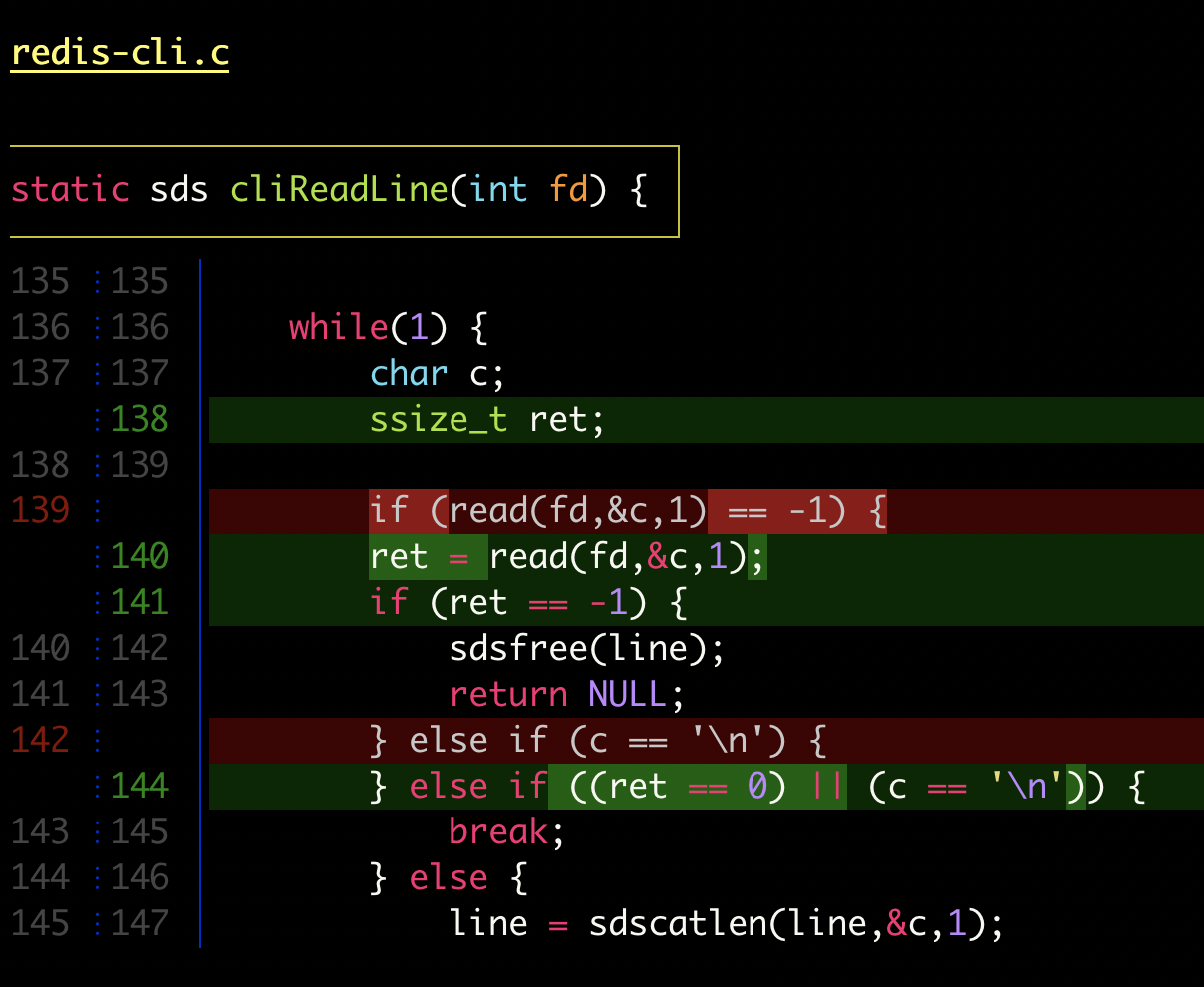
delta with |
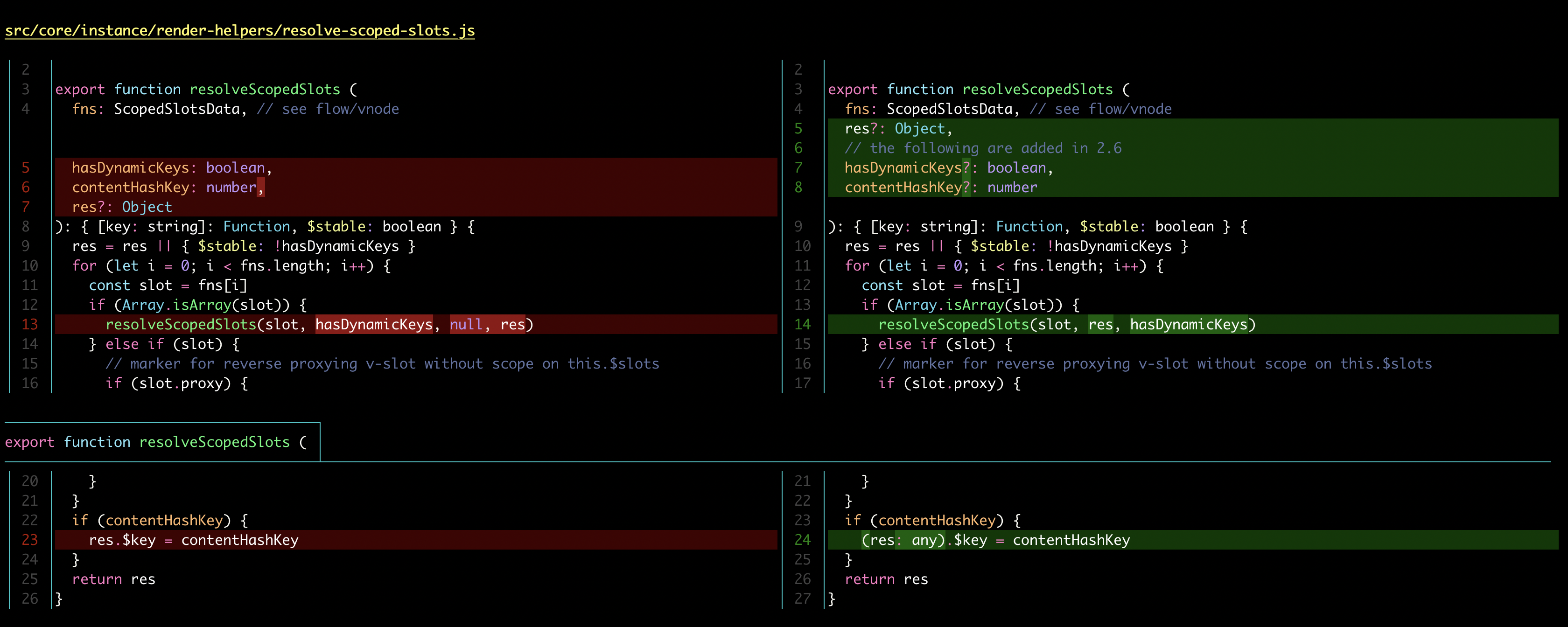
delta with |
Here’s what git show can look like with git configured to use delta:

|

|
| "Dracula" theme | "GitHub" theme |
Syntax-highlighting themes
All the syntax-highlighting color themes that are available with batgithub are available with delta:

|

|
delta --show-syntax-themes --dark
|
delta --show-syntax-themes --light
|
Side-by-side view
[delta]
    side-by-side = true
By default, side-by-side view has line-numbers activated, and has syntax highlighting in both the left and right panels: [config]
|
Side-by-side view wraps long lines automatically:
 |
Line numbers
[delta]
    line-numbers = true
|
Merge conflicts
 |
Git blame
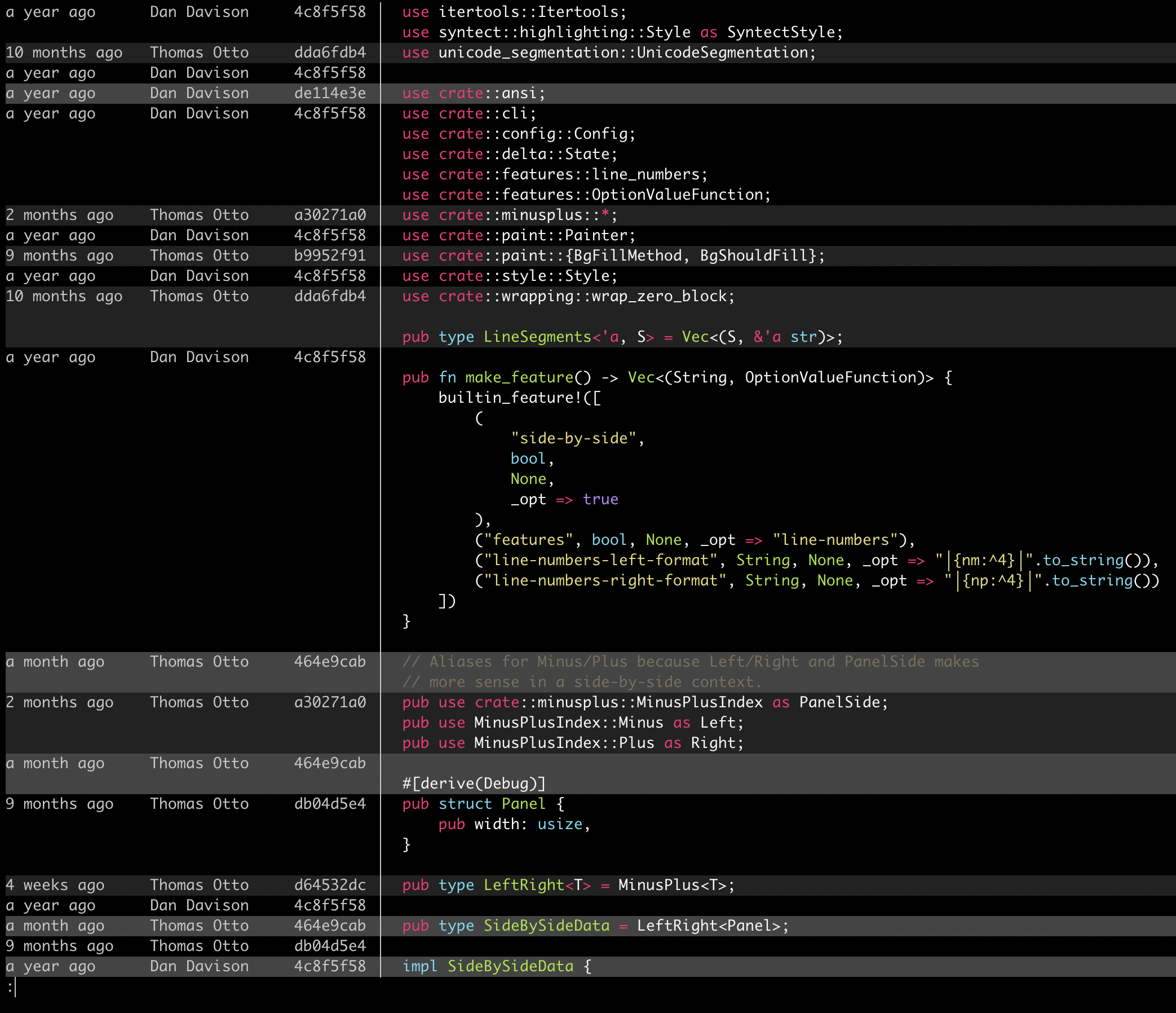 |
Ripgrep, git grep
|
|
TUI mode
delta --tui is an interactive git client and pager that renders with delta: navigate, fold, stage
and discard in delta’s output. It is based on gitugithub by altsem, a
git client inspired by Magit, and is embedded via a forkgithub.
git diff
Folding files, side-by-side, color themes, line numbers.
https://github.com/user-attachments/assets/8fc87bdd-ddca-4465-acd2-c1b8682b66f3
Changing what git diff shows
Context lines, editing the git command, hiding files, whole functions, gh pr diff.
https://github.com/user-attachments/assets/3979530a-53f0-4f22-ace5-742a73963eda
git log
Searching, opening a commit, interactive rebase, git log -p.
https://github.com/user-attachments/assets/b0886f1c-17bb-4a7b-a220-af067155ae19
Staging and committing
Staging files, hunks and lines; committing and amending.
https://github.com/user-attachments/assets/c5a4ba44-52b7-4b60-9cc2-82dbb4c471f1
More features
Help, toggling delta features such as +/- markers, blame, filtering files.
https://github.com/user-attachments/assets/caad6b67-1988-4171-b45a-66c4bc990d24
Your own views
git commands of your own, opened from keys, with the commit or file under the cursor.
https://github.com/user-attachments/assets/b0a33a5c-90c1-436e-8377-4dca761425a8
Light-mode videos
git diff
Folding files, side-by-side, color themes, line numbers.
https://github.com/user-attachments/assets/4818f448-5d5e-4cf3-88c9-ce3617c40773
Changing what git diff shows
Context lines, editing the git command, hiding files, whole functions, gh pr diff.
https://github.com/user-attachments/assets/b7399ee7-5c40-43ed-b7a4-aa6bbf0e4a3e
git log
Searching, opening a commit, interactive rebase, git log -p.
https://github.com/user-attachments/assets/550c0ce8-be3f-4b76-a4e6-fac835f126ca
Staging and committing
Staging files, hunks and lines; committing and amending.
https://github.com/user-attachments/assets/3f9d573a-f788-475d-8177-92c69047fe35
More features
Help, toggling delta features such as +/- markers, blame, filtering files.
https://github.com/user-attachments/assets/503c0608-a656-4e3c-b9d8-a32ec92b177a
Your own views
git commands of your own, opened from keys, with the commit or file under the cursor.
https://github.com/user-attachments/assets/25c31545-32ac-4442-997a-11fbaf051aee
Installation and usage
Please see the user manual and delta --help.
